
18 Best AI Apps Everyone Is Using in 2026 – And Which One Is Right for You


Everyone seems to be using an AI app in 2026 — but not everyone is using the right one.
With hundreds of tools flooding the market, it is genuinely hard to know which AI apps are worth your time and which ones are just hype. At TechMilkyWay, we cut through the noise and tested the most popular AI apps available right now to bring you this definitive guide.
Whether you are a student, a content creator, a developer, or just someone who wants to get more done in less time, there is an AI app on this list built for you. And if you are looking for the best smartphone to run these apps on the go, check out our Best Budget Phones in 2026 guide.
In this article, you will find:
- The 18 best AI apps of 2026 organized by category
- What each app is best for
- What the free plan includes
- Key limitations to know before you sign up
- A quick-reference comparison table at the end
Let’s dive in.
Which AI App Is Right for You? (Quick Overview)
The 18 best AI apps in 2026 everyone is using which span six major categories: chatbots, writing tools, creative tools, coding assistants, productivity tools, and education apps. Here is a quick overview before we go deeper.
| # | App | Category | Best For |
|---|---|---|---|
| 1 | ChatGPT | Chatbot | General tasks & research |
| 2 | Claude | Chatbot | Long-form writing & documents |
| 3 | Google Gemini | Chatbot | Google Workspace users |
| 4 | Microsoft Copilot | Chatbot | Microsoft 365 productivity |
| 5 | DeepSeek | Chatbot | Budget-friendly reasoning |
| 6 | Grok | Chatbot | Real-time news & X users |
| 7 | Perplexity AI | Chatbot | Research with citations |
| 8 | Google NotebookLM | Chatbot | Studying & note synthesis |
| 9 | Grammarly | Writing | Writing polish & grammar |
| 10 | Google Docs AI | Writing | Collaborative drafting |
| 11 | Bing Image Creator | Creative | Free AI image generation |
| 12 | CapCut | Creative | Short-form video editing |
| 13 | Suno AI | Creative | AI music generation |
| 14 | Canva AI | Creative | Graphic design & branding |
| 15 | GitHub Copilot | Coding | Professional code completion |
| 16 | Replit | Coding | App building & prototyping |
| 17 | Fireflies.ai | Productivity | Meeting summaries |
| 18 | Socratic | Education | Student homework help |
AI Chatbots and General Assistants
AI chatbots are the most versatile category on this list. They can answer questions, write content, analyze documents, write code, and much more — all through a simple conversation interface.
1. ChatGPT
Best for: Everyday tasks, research, brainstorming, and coding help across all skill levels
ChatGPT is the most widely used AI app in the world, and in 2026 it remains the benchmark that every other assistant is measured against. The biggest upgrade this year is the o1 and o3 reasoning models, which “think” through problems step by step before responding. This significantly improves accuracy in math, coding, and complex research tasks.
Beyond chat, OpenAI has expanded ChatGPT into a full productivity suite. You now get memory, voice mode, DALL·E image generation, and integrations with Google Drive and OneDrive — all inside one app.
Free plan includes: GPT-4o access (with limits), web browsing, basic image generation, and conversation memory
Limitations: Free users are throttled during peak hours. The latest o3 reasoning model, advanced voice mode, and deeper research features all require a paid plan.
2. Claude (by Anthropic)
Best for: Long-form writing, document analysis, nuanced conversation, and large-context tasks
Claude is the AI app that serious writers and researchers turn to in 2026. It consistently produces long-form content that reads naturally, handles enormous documents without losing track of context, and maintains a thoughtful tone across extended conversations. Its context window — one of the largest available — can hold an entire research paper or codebase in a single session.
Anthropic has also launched Projects (persistent AI workspaces), Claude Code (a command-line coding agent), and Cowork (a desktop tool for non-developers who want to automate tasks).
Free plan includes: Claude Sonnet model access, web search, memory, file creation, and integrations with Slack and Google Workspace
Limitations: Free users face daily message limits and cannot access Claude Opus, the most powerful model in the lineup. Power users will likely need to upgrade sooner rather than later.
3. Google Gemini
Best for: Google Workspace users, multimodal tasks, and image or video understanding
Google Gemini is the AI assistant built directly into the tools billions of people already use. In 2026, it is embedded across Gmail, Google Docs, Sheets, and Drive — which means AI help appears exactly where you are working, without switching apps. Gemini also handles multimodal inputs exceptionally well, letting you combine images, audio, video, and text in the same conversation.
For developers and students, the Gemini API offers a generous free tier for building and experimenting.
Free plan includes: Gemini 2.0 Flash model, basic image generation, and integration with Google apps via the Gemini app
Limitations: The most capable Gemini Ultra models require Google One AI Premium. Deep integration across all Workspace apps also needs a paid subscription.
4. Microsoft Copilot
Best for: Microsoft 365 users, enterprise productivity, and AI-assisted data analysis in Excel
Microsoft Copilot received a major upgrade with its Wave 2 update, introducing Copilot Pages — a real-time collaborative AI canvas for teams. The Excel integration now supports Python, allowing anyone to run advanced financial forecasting using plain English, no coding required. Copilot Agents take things further, letting organizations build custom AI assistants that automate repetitive tasks across SharePoint, Outlook, and Teams.
Free plan includes: A free web experience at copilot.microsoft.com with GPT-4o, image generation, and basic chat
Limitations: The most powerful Copilot features — the ones embedded inside Word, Excel, PowerPoint, and Teams — require a Microsoft 365 Copilot license. The free version does not unlock those in-app AI features.
5. DeepSeek
Best for: Technical tasks, mathematics, code generation, and users who need strong reasoning on a budget
DeepSeek is 2026’s most impressive value story in AI. Its R1 and V3 models deliver GPT-4-level reasoning — especially in math, logic, and coding — at a fraction of the cost of US-based competitors. The open-source architecture also means enterprises and privacy-conscious users can self-host the models on their own infrastructure.
Free plan includes: Full access to DeepSeek V3 and R1 models via the web and mobile app, with no usage caps at the time of writing
Limitations: The platform has faced outages due to overwhelming demand. It lacks polished features found in ChatGPT or Claude, such as voice mode, a rich memory system, and deep third-party integrations.
6. Grok (by xAI)
Best for: Real-time information, trending topics, and direct answers without heavy filtering
Grok has carved out a clear identity in the crowded AI assistant market. Its real-time access to X (formerly Twitter) gives it a live feed of breaking news, trending discussions, and cultural moments that other AI tools simply cannot tap into. In 2026, Grok has also added image generation capabilities and more powerful reasoning modes, closing the gap with larger rivals.
Free plan includes: Basic Grok chat access via the X app with limited daily messages
Limitations: Full Grok access requires an X Premium+ subscription. The tool is tightly tied to the X platform, which limits its appeal to users outside that ecosystem. Accuracy can also vary on fast-moving news stories.
7. Perplexity AI
Best for: Research, fact-checking, and getting cited, source-backed answers you can actually trust
Perplexity AI solves one of the biggest frustrations with AI chatbots: making things up. Every answer Perplexity gives comes with real, clickable citations — so you can verify what you read in seconds. The interface blends conversational AI with the transparency of a search engine, making it the go-to tool for journalists, students, and researchers who need accuracy.
Free plan includes: Unlimited quick searches, AI answers with citations, and a limited number of Pro searches per day
Limitations: Pro searches — which use more powerful models like GPT-4o or Claude — are capped on the free plan. File uploads, image generation, and API access all require Perplexity Pro.
8. Google NotebookLM
Best for: Studying, research synthesis, and turning your own documents into an interactive AI knowledge base
Google NotebookLM is one of the most thoughtfully designed AI tools available in 2026. Rather than answering general questions, it works exclusively with the documents you upload — PDFs, Google Docs, YouTube videos, audio files, and websites — and lets you interrogate that material through conversation. Every answer is pinned to a source, so you always know where the information came from.
Its standout feature, Audio Overviews, automatically turns your uploaded sources into a two-person podcast-style discussion. It is one of the most genuinely novel ways to absorb dense material that AI has produced so far.
Free plan includes: Up to 50 notebooks, 50 sources per notebook, Audio Overviews, and unlimited Q&A over your uploaded documents
Limitations: NotebookLM cannot browse the web or answer questions outside of your uploaded sources. The Plus tier lifts usage caps and adds team collaboration features.
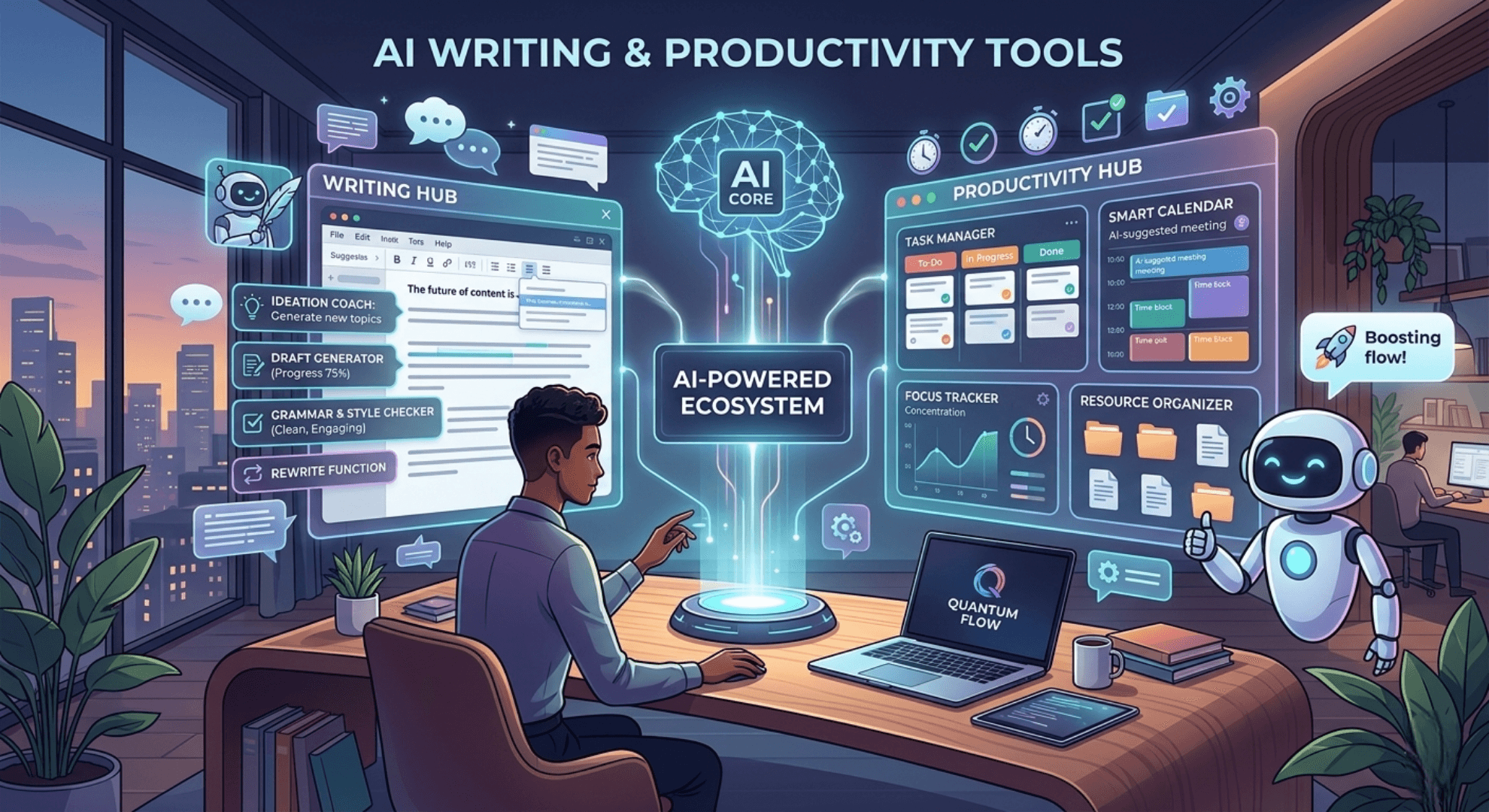
AI Writing and Productivity Tools
Good writing still matters — and these AI tools make it faster and easier without sacrificing quality.
9. Grammarly
Best for: Writing polish, tone adjustment, professional communication, and AI drafting across every platform
Grammarly is far more than a spell checker in 2026. It operates as a full AI writing layer inside your browser, Google Docs, Microsoft Word, email clients, and dozens of other apps. It rewrites sentences for clarity, shifts tone from casual to professional on demand, generates full drafts from a prompt, and checks content for plagiarism. What makes Grammarly stand out is context awareness — it reads where you are writing and adapts its suggestions accordingly.
Free plan includes: Grammar and spelling corrections, basic tone detection, and limited AI writing suggestions
Limitations: Full-sentence rewrites, advanced tone control, plagiarism detection, and AI draft generation are all behind Grammarly Premium. The free tier is useful but noticeably restricted.
10. Google Docs AI
Best for: Collaborative document creation and AI-assisted writing within Google Workspace
Google has embedded Gemini directly into Google Docs, making AI assistance a native part of the writing process rather than a separate tool. You can ask it to draft entire sections, summarize a long document, rewrite a paragraph in a different tone, or create a table from your existing content — all without leaving the page. The “Help me write” sidebar is especially useful for anyone staring at a blank document who needs a running start.
Free plan includes: Basic AI suggestions for personal Google accounts, though full Gemini integration requires a Workspace or AI Premium plan
Limitations: The most capable AI features inside Docs — including the Gemini side panel, full draft generation, and Workspace-wide AI tools — require Google One AI Premium or a Google Workspace subscription.
AI Creative Tools
From images to video to music, AI has transformed what individual creators can produce on their own.
11. Bing Image Creator (Microsoft Designer)
Best for: Free, fast AI image generation for presentations, social media, and everyday creative projects
Powered by DALL·E, Bing Image Creator is tightly integrated into Microsoft Designer in 2026 and remains one of the strongest free options for AI-generated visuals. Quality is consistently solid — covering photorealistic images, stylized illustrations, and graphic design assets — and generation speed is noticeably faster than it was a year ago.
Free plan includes: Daily image generation credits powered by DALL·E, plus access to basic Microsoft Designer templates
Limitations: Free users get a daily “boost” allowance. Once it runs out, generation slows considerably. Advanced Designer features like brand kits, premium templates, and high-resolution exports require Microsoft 365.
12. CapCut
Best for: Short-form video creation, social media content, and fast AI-assisted editing on mobile or desktop
CapCut has grown from a TikTok-adjacent template app into a genuinely powerful all-in-one video editor. Its AI toolkit includes auto-captions, background removal, smart cut (which automatically trims silence), AI avatars, and a growing text-to-video feature set. Whether you produce YouTube Shorts, Instagram Reels, or TikToks, CapCut removes most of the technical friction from the editing process.
If you want to pair great visuals with great audio, our microphone reviews cover wireless mics like the Hollyland Lark M2 that pair perfectly with mobile video setups.
Free plan includes: Full access to core editing tools, auto-captions, background remover, templates, and basic AI effects
Limitations: AI avatars, high-resolution exports, and some text-to-video tools are behind CapCut Pro. The app is optimized for short-form content and is not a replacement for professional editors like Premiere Pro or DaVinci Resolve.
13. Suno AI
Best for: AI music generation from text prompts, song prototyping, and creative experimentation without musical training
Suno AI has made music production genuinely accessible to non-musicians. Describe a genre, set a mood, add some lyrical direction, and Suno generates a fully produced track — vocals, instruments, arrangement — in seconds. The in-browser song editor lets you rearrange sections, rewrite lyrics, insert solos, and extract stems for remixing in tools like Ableton or BandLab. Faster generation speeds in 2026 mean you can iterate through multiple versions of a track without long waits.
Free plan includes: 50 credits per day (roughly 10 songs), personal use of generated tracks, and full access to the song editor
Limitations: Free-tier tracks cannot be used commercially. Voice cloning requires a separate tool. The AI can struggle with subtlety in slower, more intimate musical styles where nuanced human expression makes the biggest difference.
14. Canva AI
Best for: Graphic design, presentations, social media visuals, and brand content creation without design experience
Canva’s Magic Studio AI suite has turned an already popular design platform into something significantly more powerful. It generates images from text, removes backgrounds, expands designs with AI fill, animates graphics, translates content into dozens of languages, and suggests real-time layout and color improvements. For non-designers who need to produce professional marketing materials, social posts, or slide decks regularly, Canva AI is hard to beat.
Free plan includes: Basic templates, limited Magic Studio credits, background remover (limited uses), and AI text generation
Limitations: Many of the best AI features — Magic Morph, Brand Kit, Magic Resize across all formats, and unlimited AI generation — require Canva Pro. Regular creators will outgrow the free tier relatively quickly.

AI Coding Tools
These tools are reshaping software development, making it faster for experienced developers and far more accessible for beginners.
15. GitHub Copilot
Best for: Professional developers using VS Code, JetBrains, or GitHub who want AI-powered code completion and review
GitHub Copilot is the most widely adopted AI coding assistant in the world, and in 2026 it has only gotten more capable. It provides intelligent autocomplete, generates entire functions from plain-language comments, explains unfamiliar code, and now includes a multi-file agent mode that can plan and execute large-scale refactors across an entire codebase. Because it lives inside VS Code and JetBrains IDEs, it integrates seamlessly into existing developer workflows.
Free plan includes: 2,000 code completions and 50 chat messages per month, with access to Claude Sonnet and GPT-4o models
Limitations: The free tier is enough to evaluate Copilot but not sufficient for full-time professional use. Multi-file agent mode, code review, and higher usage caps require a paid plan. Verified students get full access free through GitHub Education.
16. Replit
Best for: Building and deploying apps without local setup — ideal for students, non-developers, and rapid prototyping
Replit is the fastest path from an idea to a live application in 2026. Its AI agent builds functional apps from plain-language descriptions, writes code, fixes bugs, and handles deployment — all inside a browser-based environment that requires zero local configuration. For students, indie hackers, and founders who want to prototype quickly without hiring a developer, Replit removes virtually every barrier between an idea and a working product. For gaming-related app ideas, our Top 10 Best Games in 2026 article shows the kind of polished experiences you can draw inspiration from.
Free plan includes: Access to the Replit editor, basic AI code generation, and limited cloud deployment
Limitations: The free plan has meaningful compute and storage restrictions. The AI Agent feature consumes credits that deplete quickly on the free tier. Serious development projects will need a paid Core or Teams plan.
AI Productivity and Meeting Tools
These tools help professionals get more out of their time — especially when it comes to managing meetings and follow-ups.
17. Fireflies.ai
Best for: Meeting transcription, AI-generated summaries, action item tracking, and searchable meeting memory
Fireflies.ai is one of the most practical AI tools for professionals who live in back-to-back meetings. It automatically joins and records calls on Zoom, Google Meet, and Microsoft Teams, then produces transcriptions, summaries, and highlighted action items that feed directly into your workflow. Integrations with CRMs, project management tools, Slack, and ATS platforms mean meeting outcomes actually get acted on rather than forgotten.
Free plan includes: Unlimited transcription, limited AI summaries per month, 800 minutes of storage, and basic integrations
Limitations: Storage is capped at 800 minutes on the free plan, and AI summaries are rationed. Conversation intelligence, full CRM sync, and team analytics require a paid subscription. The free tier works well for occasional use but will feel restrictive for busy teams.
AI Education Tools
AI is changing how students learn — and these tools are leading that shift.
18. Socratic (by Google)
Best for: Students who need step-by-step help understanding homework, equations, and core academic concepts
Socratic takes a fundamentally different approach to AI assistance. Point your phone camera at any question — from a textbook, worksheet, or whiteboard — and Socratic breaks down how to solve it step by step using curated educational content from trusted sources. Rather than just handing you the answer, it teaches you the underlying concept. It covers math, science, literature, history, and more across school levels.
Free plan includes: Completely free on iOS and Android — no subscription required and no features locked behind a paywall
Limitations: Socratic is purpose-built for academic subjects and is not suitable as a general-purpose assistant. It works best with clear, well-formatted questions. Advanced university-level or highly niche topics can sometimes fall outside its depth.
Which AI App Should You Use? Quick Reference Guide
Still not sure which app is right for you? Use this table to find your match based on what you need to do.
| Use Case | Best App |
|---|---|
| General chatbot & research | ChatGPT or Claude |
| Real-time news & trending topics | Grok |
| Verified research with citations | Perplexity AI |
| Google Workspace productivity | Google Gemini / Docs AI |
| Microsoft 365 productivity | Microsoft Copilot |
| Long-form writing & documents | Claude |
| Studying & note synthesis | Google NotebookLM |
| Writing polish & grammar | Grammarly |
| Free AI image generation | Bing Image Creator |
| Video editing & social content | CapCut |
| AI music creation | Suno AI |
| Graphic design & branding | Canva AI |
| Professional coding | GitHub Copilot |
| App building & prototyping | Replit |
| Meeting summaries & action items | Fireflies.ai |
| Student homework help | Socratic |
| Budget-friendly AI reasoning | DeepSeek |
Final Thoughts: What Are the Best AI Apps of 2026?
The best AI apps of 2026 are not about picking one winner — they are about building the right combination for your workflow.
A student might use NotebookLM to study, Socratic to tackle assignments, and Grammarly to polish essays. A content creator might run their entire production inside CapCut, Suno, and Canva AI. A developer might live in GitHub Copilot all day, then prototype new ideas in Replit. Most professionals will find themselves moving between Claude, Gemini, and Perplexity depending on the task at hand.
The good news is that nearly every app on this list has a meaningful free tier, so there is no cost to experimenting. If you are also in the market for hardware to make the most of these tools, our Best Budget Phones in 2026 guide is a great next step — and if you want a desktop AI setup powered from a single cable, our PIVA G71 USB-C Hub review is worth a read.
The right AI tools do not just save you time — they expand what you are capable of.
Frequently Asked Questions
What is the best AI app overall in 2026? ChatGPT and Claude are the strongest all-around AI apps in 2026. ChatGPT leads on breadth and integrations, while Claude excels at writing quality and handling large documents.
Which AI app is completely free? Socratic by Google is fully free with no paywalled features. ChatGPT, Claude, DeepSeek, Perplexity AI, Google Gemini, and Grammarly all offer solid free tiers with some restrictions.
What is the best AI app for students? Google NotebookLM and Socratic are the strongest options for students. NotebookLM is ideal for synthesizing research and study materials, while Socratic helps with step-by-step homework explanations.
What is the best AI app for coding? GitHub Copilot is the most widely used AI coding assistant and the best option for professional developers. Replit is the better choice for beginners or anyone who wants to build and deploy an app without any local setup.
Is DeepSeek safe to use? DeepSeek is generally safe for everyday use, though it is developed in China and has faced scrutiny over data privacy. Users in regulated industries or handling sensitive data should review its privacy policy carefully before using the web or app version.
Have a favourite AI app that did not make our list? Drop it in the comments below — we read every suggestion.
TechMilkyWay – Navigating the Universe of Technology
Quick Link : Home | Blog | Contact Us | Facebook | Instagram | X
Disclosure: Image generate using Ai Apps.
© 2026 TechMilkyWay. All rights reserved.