
PIVA G71 Review: The Ultimate 7-in-1 USB-C Hub With Smart Display (2026)

PIVA G71 review
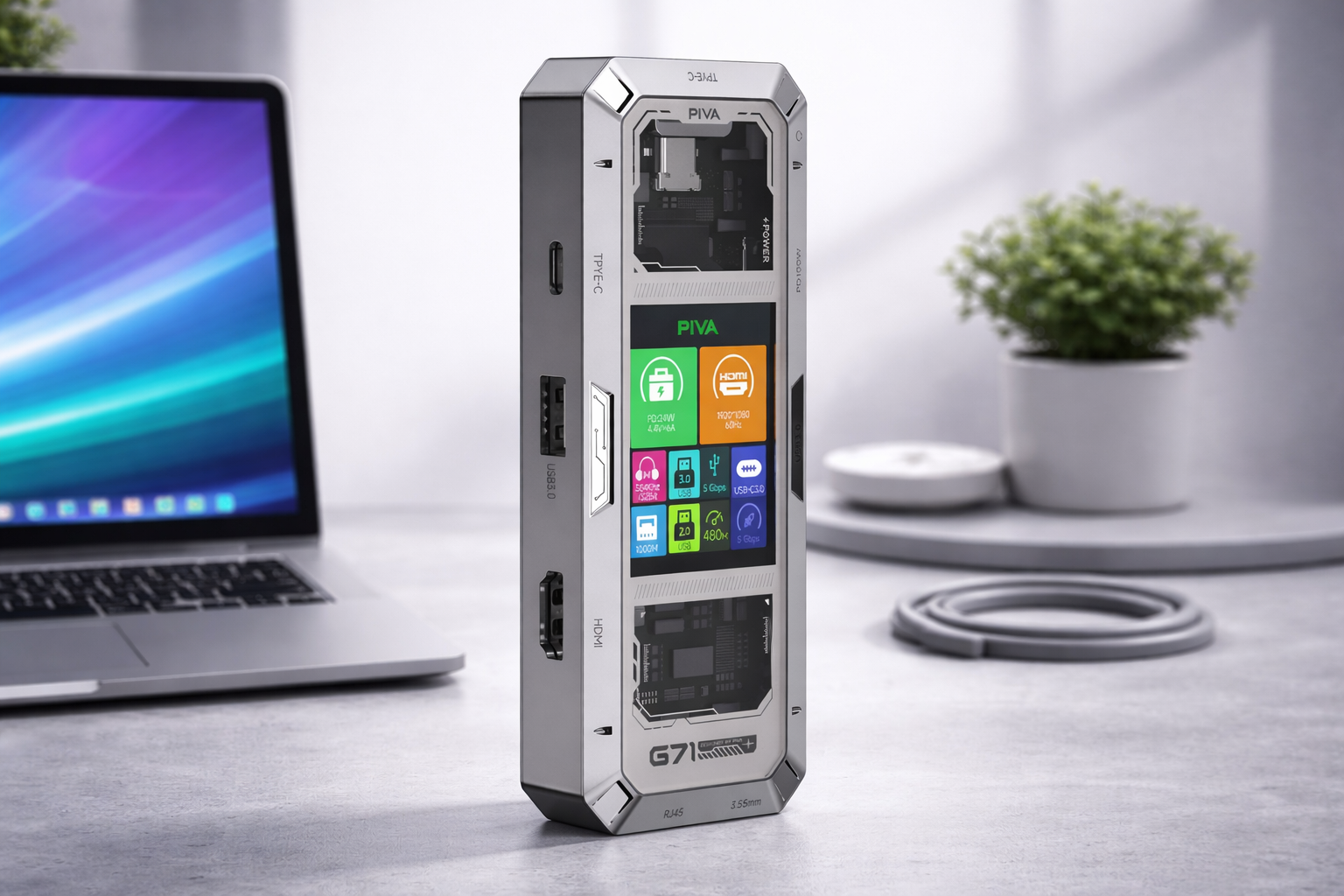
This is the complete guide you need before buying. The PIVA G71 is a premium 7-in-1 USB-C hub with 4K HDMI, 100W Power Delivery, Gigabit Ethernet, and a unique smart display screen — all in a compact aluminum body. It’s one of the best USB-C hubs you can buy right now.
PIVA G71 Review: What Is This USB-C Hub?
Running out of ports is one of the most common frustrations for laptop and tablet users in 2026. The PIVA G71 solves that in one move.
It’s a 7-in-1 USB-C docking station that brings together everything you need — 4K display output, fast charging, wired internet, USB data, and audio — into a single compact device. The standout feature is its built-in smart display screen, which monitors real-time activity across all connected ports. You don’t see that at this price point.
Whether you’re gaming, working remotely, or running a multi-device desk setup, the G71 is built to handle it.
PIVA G71 Specs at a Glance
| Feature | Details |
|---|---|
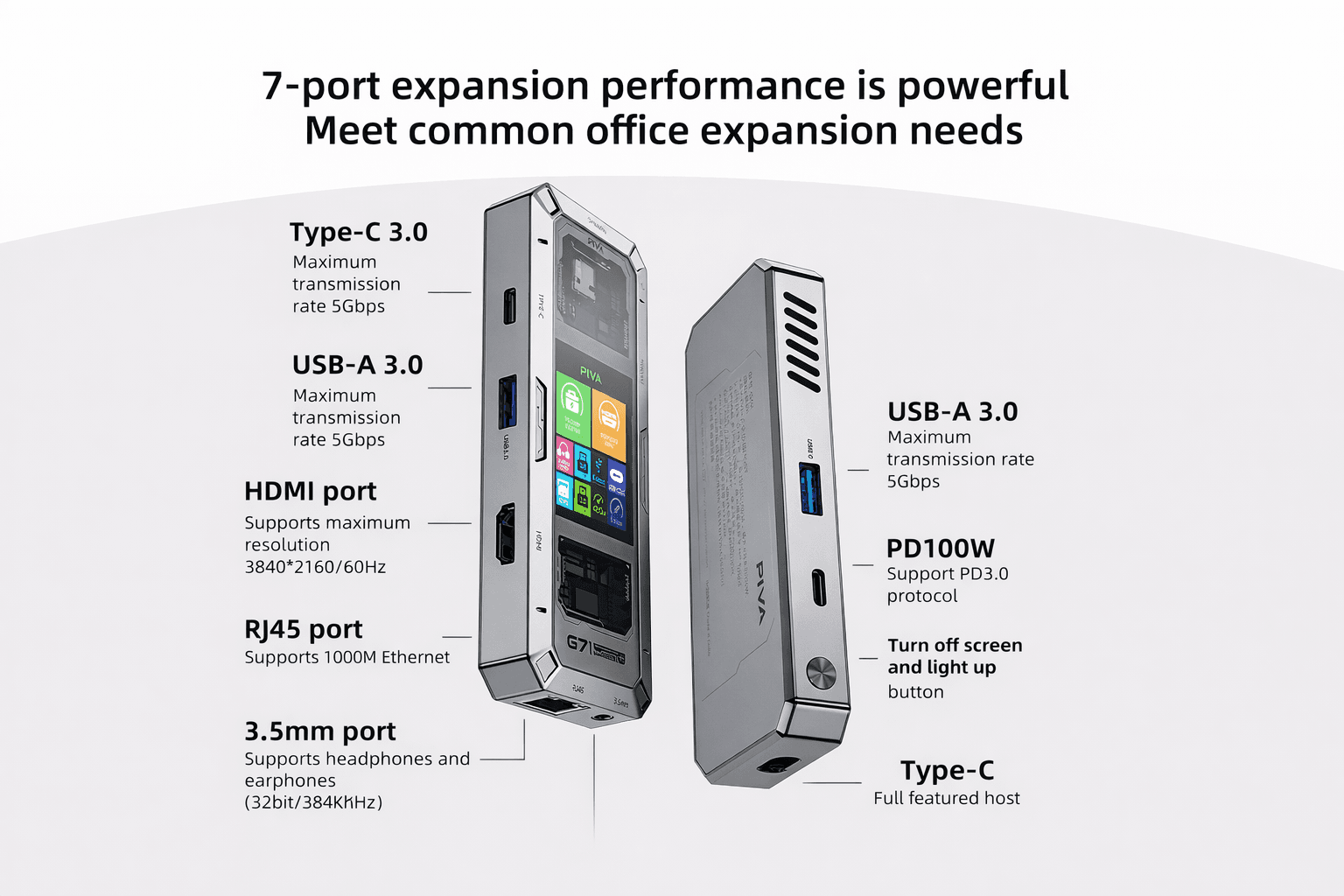
| Total Ports | 7-in-1 |
| Video Output | HDMI 2.0 — 4K @ 60Hz |
| USB-A | Dual USB 3.0 |
| Power Delivery | 100W PD via USB-C |
| Network | Gigabit Ethernet (RJ45) |
| Audio | 3.5mm combo jack |
| Smart Display | Real-time port activity monitor |
| Build Material | Aluminum alloy |
| Compatibility | All USB-C / Type-C devices |
PIVA G71 Review: Key Features — What You’re Actually Getting
1. 4K HDMI 2.0 Output
The G71 drives an external display at 4K resolution and 60Hz — no lag, no frame drops. This makes it a solid choice for both creative professionals working on an external monitor and gamers who want smooth visuals.
2. 100W Power Delivery
With a 100W PD port, the G71 charges your laptop or tablet at full speed while every other port stays active. This is a critical feature that cheaper hubs skip.
3. Smart Display Screen
This is the G71’s most unique selling point. The built-in display shows which ports are in use and how much power each device is drawing — at a glance. It’s a small feature that makes a real difference when you have four or five devices plugged in at once.
4. Dual USB 3.0 Ports
Both USB-A ports deliver USB 3.0 data speeds, making file transfers to external drives and flash storage noticeably faster than older USB 2.0 hubs. If you’re upgrading your peripherals at the same time,
5. Gigabit Ethernet
For gaming, video calls, or large file transfers, nothing beats a wired connection. The RJ45 Gigabit Ethernet port delivers fast, stable, low-latency internet that Wi-Fi simply can’t match consistently.
6. Universal USB-C Compatibility
The G71 is plug-and-play with any USB-C device — MacBooks, Windows laptops, iPads, iPhones, and Android tablets. No drivers, no configuration. If you’re pairing this hub with a new smartphone or tablet and fully USB-C compatible options across every major brand.
Mobile Gaming With Wired Internet — Yes, the PIVA G71 Makes This Possible
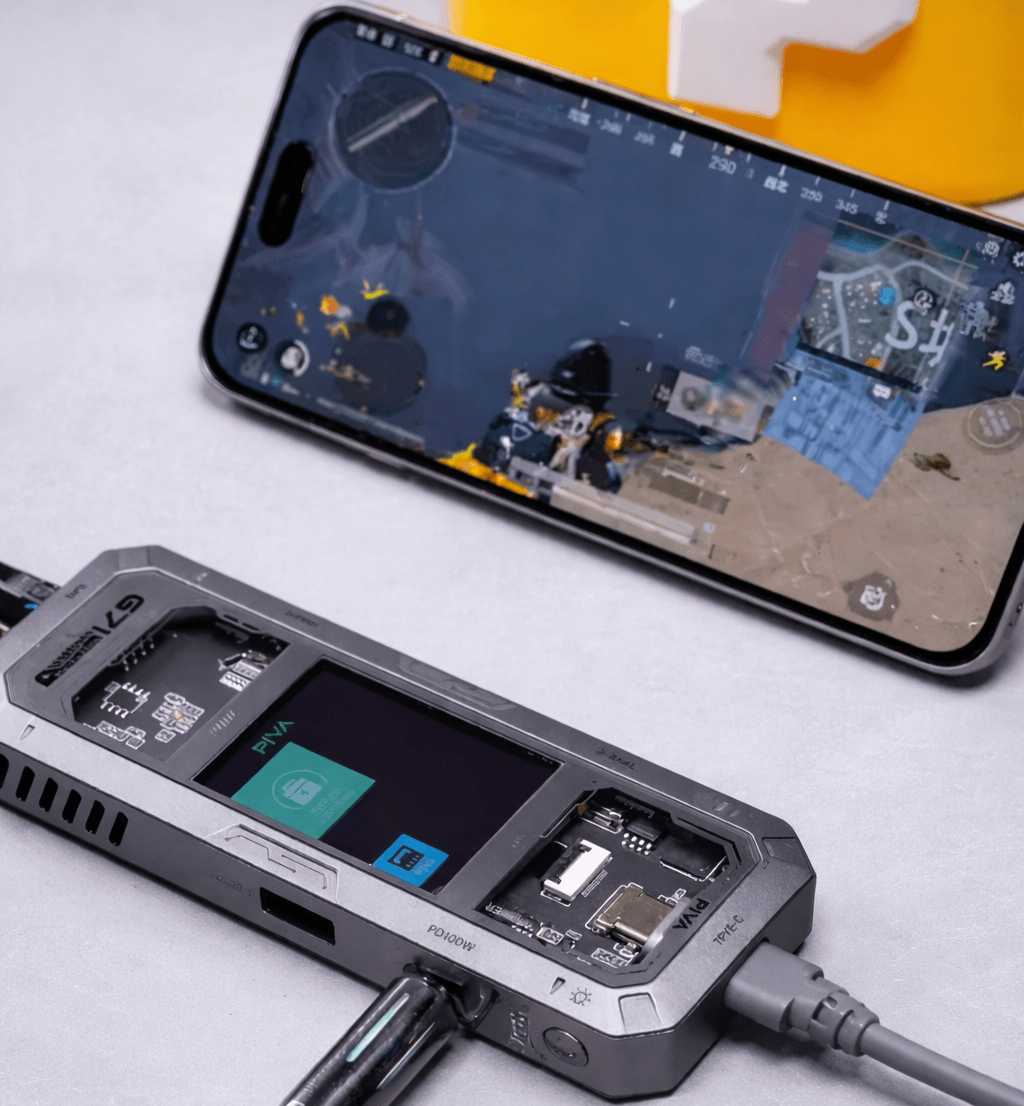
One of the most underrated use cases for the PIVA G71 is wired Ethernet gaming on a smartphone or tablet.
Most mobile gamers put up with Wi-Fi lag, packet loss, and unstable connections — not because they want to, but because they think wired internet is only for PCs. The G71 changes that.
If your Android smartphone or tablet supports USB-C with OTG (On-The-Go), you can plug in the PIVA G71, connect an Ethernet cable to the RJ45 port, and game over a stable Gigabit wired connection — no Wi-Fi interference, no ping spikes, no dropped packets.
Why This Matters for Mobile Gamers
Mobile games like PUBG Mobile, Call of Duty Mobile, Genshin Impact, and Mobile Legends are heavily dependent on connection stability. A wired connection via the G71 gives you:
- Lower ping — wired latency is consistently faster than Wi-Fi
- Zero packet loss — no dropped inputs or rubber-banding mid-game
- Stable speeds — no interference from walls, other devices, or congestion
- Simultaneous charging — the 100W PD port keeps your phone or tablet charged while you game via Ethernet
How to Set It Up
Setting up wired internet for mobile gaming with the PIVA G71 takes under a minute:
- Plug the PIVA G71 into your smartphone or tablet’s USB-C port
- Connect your Ethernet cable to the G71’s RJ45 port
- Connect your charger to the G71’s 100W PD port (optional but recommended)
- Your device will automatically detect the wired connection — no app or driver needed on most Android devices
That’s it. You’re now gaming on a wired connection from your phone.
Which Devices Support This?
Most modern Android smartphones and tablets with USB-C support wired Ethernet via a hub. This includes popular gaming-friendly devices covered — including Redmi, OnePlus, Samsung Galaxy A-series, and more. iPads with USB-C also support wired Ethernet natively. iPhone support depends on the iOS version and adapter compatibility.
If competitive mobile gaming is your focus, this single feature alone makes the PIVA G71 worth the investment.
Who Should Buy the PIVA G71?
Gamers need 4K output, low-latency Ethernet, and a clean desk setup. The G71 delivers all three.
Remote workers and professionals need reliable charging, stable internet, and clear audio. The 100W PD and Gigabit Ethernet have both covered.
Content creators benefit from a one-cable desk setup that handles display, drives, and audio simultaneously.
Students get a portable productivity hub that turns any desk into a workstation.
Pros and Cons
What We Like ✅
- Smart display is a genuinely useful and rare feature at this price
- 100W PD charges laptops without slowing other ports
- Premium aluminum build — looks and feels expensive
- True 4K @ 60Hz HDMI output
- Wired Ethernet gaming on mobile — a game changer
- Universal compatibility, no drivers needed
What Could Be Better ❌
- No SD or microSD card slot — a real miss for photographers and creators
- No Thunderbolt 3 or 4 support
- Smart display has a slight learning curve for first-time users
PIVA G71 Review: Final Verdict
The PIVA G71 is one of the best 7-in-1 USB-C hubs on the market right now. In this PIVA G71 review, it’s clear that the smart display, 100W PD, and Gigabit Ethernet combo make it stand out from the competition. The ability to run wired internet on your mobile device for gaming is the kind of practical, real-world feature that makes this hub genuinely worth owning.
The missing SD card slot is a real omission for creators, and the lack of Thunderbolt support will rule it out for some power users. But for the price and the feature set on offer, it’s an easy recommendation.
TechMilkyWay Rating: 8.5 / 10 ⭐⭐⭐⭐
→ Buy the PIVA G71 on AliExpress
Frequently Asked Questions About the PIVA G71
Does the PIVA G71 work with MacBook Pro? Yes. It is fully compatible with any USB-C or Thunderbolt laptop, including all modern MacBook models.
Can the PIVA G71 charge a laptop while all ports are in use? Yes. The dedicated 100W PD port operates independently, so your laptop charges at full speed regardless of what else is plugged in.
Does the PIVA G71 support 4K at 60Hz? Yes, via HDMI 2.0. This is one of its strongest selling points for monitor and TV setups.
Is the PIVA G71 compatible with Android tablets? Yes. It works with all Type-C Android devices.
Does the PIVA G71 need drivers? No. It is fully plug-and-play on Windows, macOS, iPadOS, and Android.
Can I use wired Ethernet for mobile gaming with the PIVA G71? Yes. Plug the G71 into your USB-C Android phone or tablet, connect an Ethernet cable to the RJ45 port, and your device will automatically switch to a stable wired connection — no apps or drivers needed. Perfect for PUBG Mobile, COD Mobile, and Genshin Impact.
Is the PIVA G71 good for gaming? Yes — 4K HDMI output, Gigabit Ethernet for low-latency online play, USB 3.0 for peripherals, and wired mobile gaming support make it one of the best hubs for gamers in 2026.
TechMilkyWay — Navigating the Universe of Technology.
Quick Link : Home | Blog | Contact Us | Facebook
Affiliate Disclosure: TechMilkyWay participates in the Amazon Associates Program. If you purchase through our links, we may earn a small commission at no extra cost to you. This helps keep the lights on — thank you for your support.
© 2025 TechMilkyWay. All rights reserved.