
GaN, PD, and PPS Charging Explained: The Ultimate Fast Charging Guide in 2026

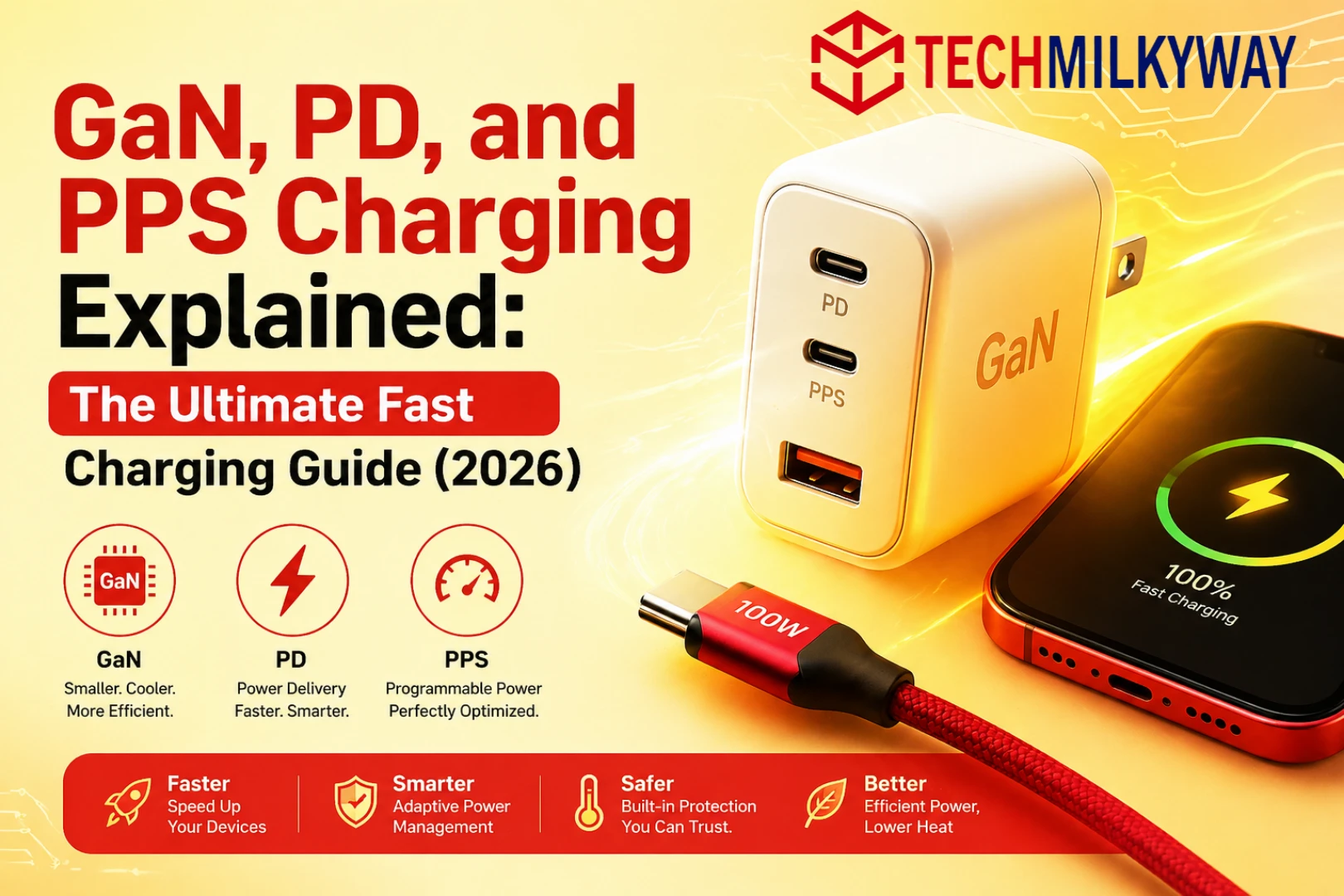
If you have ever bought a charger, you have probably seen the terms GaN, PD, and PPS charging printed on the box. These are not just marketing buzzwords. They each represent a distinct technology that defines how modern fast charging works.
Understanding GaN, PD, and PPS charging can help you choose the right charger, protect your devices, and avoid wasting money. In this complete guide, TechMilkyWay breaks down all three technologies in plain language — no engineering degree required.
Quick Summary: GaN makes chargers smaller and more efficient. PD lets your charger and device negotiate safe wattage. PPS fine-tunes voltage for smarter, cooler charging. Together, they represent the gold standard of consumer charging technology in 2026.
Why Charging Technology Matters More Than Ever in 2026
In 2026, the average person owns more than three chargeable devices. Phones, laptops, tablets, earbuds, and smartwatches all demand power — and they demand it fast.
Choosing the wrong charger does not just slow you down. It can degrade your battery over time, generate unnecessary heat, and cost you more money in replacements. However, choosing the right charger — one that combines GaN hardware with PD and PPS protocols — means faster charging, cooler operation, and longer-lasting devices.
That is why this knowledge is no longer reserved for tech enthusiasts. It is practical information every consumer needs.
The Evolution of USB Charging: From 2.5W to 240W
To fully appreciate where charging technology stands today, it helps to understand how far it has come.
The Early USB Era (1996–2010)
When USB was first introduced, charging was an afterthought. USB 1.0 and 2.0 delivered just 2.5W — enough to trickle charge a basic phone overnight, but nothing more. Laptops could not be charged over USB at all. Moreover, every device came with its own proprietary charger, and losing one meant hunting for an exact replacement.
The Rise of Proprietary Fast Charging (2010–2017)
As smartphones became more powerful, their batteries grew larger — and charging speed became a serious concern. Manufacturers responded with their own proprietary solutions. Qualcomm launched Quick Charge. MediaTek introduced Pump Express. Huawei developed SuperCharge.
The problem was clear: none of these protocols worked with each other. A Samsung charger would not fast-charge a Motorola phone. The market was fragmented, confusing, and frustrating for consumers.
The USB-C and Power Delivery Revolution (2017–2021)
USB-C changed everything. The reversible connector could carry data, video, and significantly more power than its predecessors. The USB-IF used this opportunity to introduce USB Power Delivery (PD) as a universal fast-charging standard.
For the first time, one charger could legitimately fast-charge a smartphone, a tablet, and a laptop. Adoption was gradual at first, but by 2020, USB-C PD had become the dominant charging standard across major device manufacturers.
The GaN and PPS Era (2021–Present)
Two developments then transformed the charger market again. First, consumer-grade GaN chargers arrived, shrinking high-wattage adapters to a fraction of their previous size. A 65W charger suddenly fit in a shirt pocket.
Second, PPS was integrated into USB PD 3.0, making charging smarter, more efficient, and cooler than ever before. By 2026, the combination of GaN hardware with PD and PPS protocols has become the benchmark for any quality charger.
What Is GaN Charging? A Complete Breakdown
GaN stands for Gallium Nitride. It is the semiconductor material inside modern high-performance chargers, replacing traditional silicon in the transistors that convert wall power into DC current.
How GaN Works
Every charger contains transistors that rapidly switch electrical current on and off to convert AC power into DC power. In traditional chargers, these transistors are made of silicon.
Silicon is effective, but it has physical limitations. At high voltages, silicon transistors generate significant heat and require additional components — heat sinks, larger circuit boards, more casing — to operate safely. This is why powerful silicon chargers tend to be large and heavy.
Gallium Nitride is a wide-bandgap semiconductor. In practical terms, GaN transistors switch electricity far faster, handle much higher voltages, and generate dramatically less heat than silicon. As a result, chargers built with GaN are smaller, cooler, and more efficient.
GaN Generations: What GaN II and GaN III Mean
Not all GaN chargers are equal. The technology has matured through distinct generations, each bringing meaningful improvements:
| Generation | Key Improvement | Typical Wattage Range |
|---|---|---|
| GaN Gen 1 | Smaller than silicon, basic efficiency gains | 18W – 65W |
| GaN II | Improved switching speed, lower heat output | 45W – 100W |
| GaN III | Peak efficiency, ultra-compact designs | 65W – 200W+ |
GaN III chargers represent the current peak. A 140W GaN III charger in 2026 is comparable in size to a traditional 30W silicon charger from five years ago. When you see “GaN II” or “GaN III” on packaging, it signals a more refined and efficient design.
Key Benefits of GaN Chargers
Compact size. A 100W GaN charger fits comfortably in your palm. An equivalent silicon charger would be roughly two to three times larger.
Less heat. GaN converts more electricity into usable power rather than waste heat. This keeps the charger cooler and reduces the risk of overheating.
Multi-port efficiency. GaN handles multiple simultaneous outputs without the thermal issues that plague silicon multi-port chargers. This makes it ideal for charging a laptop, phone, and tablet at the same time.
Energy efficiency. Because GaN wastes less electricity as heat, it draws less power from your wall outlet for the same output. Over months of daily use, this adds up on your electricity bill.
Longer lifespan. Running cooler means internal components experience less thermal stress over time. A quality GaN charger will generally outlast a comparable silicon charger.
Key point: GaN is purely a hardware technology. It describes how the charger is built — not how it communicates with your device. That is the job of PD and PPS.
What Is USB Power Delivery (PD)? Everything You Need to Know
USB Power Delivery (PD) is a universal charging protocol developed by the USB Implementers Forum (USB-IF). It runs over USB-C and defines how a charger and device negotiate power transfer in real time.
The Problem PD Solves
Before PD, USB charging was essentially static. A charger output a fixed voltage — typically 5V — regardless of what was plugged in. There was no communication between charger and device.
This created two problems. First, charging speeds were limited because chargers could not safely deliver higher power without risking damage to smaller devices. Second, laptops could not be charged over USB at all, since the fixed output was far too low.
How USB PD Works
When you plug a PD-compatible device into a PD-compatible charger, they perform an immediate digital handshake. The device communicates its power requirements to the charger. The charger then adjusts its output to match — selecting the appropriate voltage and current from a set of predefined power levels called PDOs (Power Data Objects).
This entire negotiation happens in milliseconds. From the user’s perspective, you simply plug in and charging begins at the optimal speed for that device.
USB PD Versions and Power Levels
| USB PD Version | Maximum Power | Notes |
|---|---|---|
| USB PD 2.0 | Up to 100W | Basic negotiation, fixed voltage steps |
| USB PD 3.0 | Up to 100W | Adds PPS support for variable voltage |
| USB PD 3.1 | Up to 240W | Enables full laptop and workstation charging |
USB PD 3.1, introduced in 2021 and now widely adopted in 2026, extended the standard to 240W. This means even power-hungry gaming laptops can now be charged over a single USB-C cable.
Standard PD Voltage Steps
A standard PD charger negotiates from the following fixed voltage levels:
- 5V — Low-power devices and accessories
- 9V — Standard smartphone fast charging
- 15V — Tablets and mid-range laptops
- 20V — Full-sized laptops and high-power devices
The charger and device agree on whichever voltage step best suits the device’s current needs. This is efficient — but it is still a stepping system. That is exactly what PPS improves upon.
Why PD Matters for Everyday Users
One USB-C PD charger can now handle virtually every device you own. For devices that take full advantage of PD, our Best Budget Phones in 2026, Best Budget Laptops in 2026, and Best Budget Tablets in 2026 guides highlight the best PD-compatible options across every budget.
What Is PPS (Programmable Power Supply)? The Smartest Layer of Fast Charging
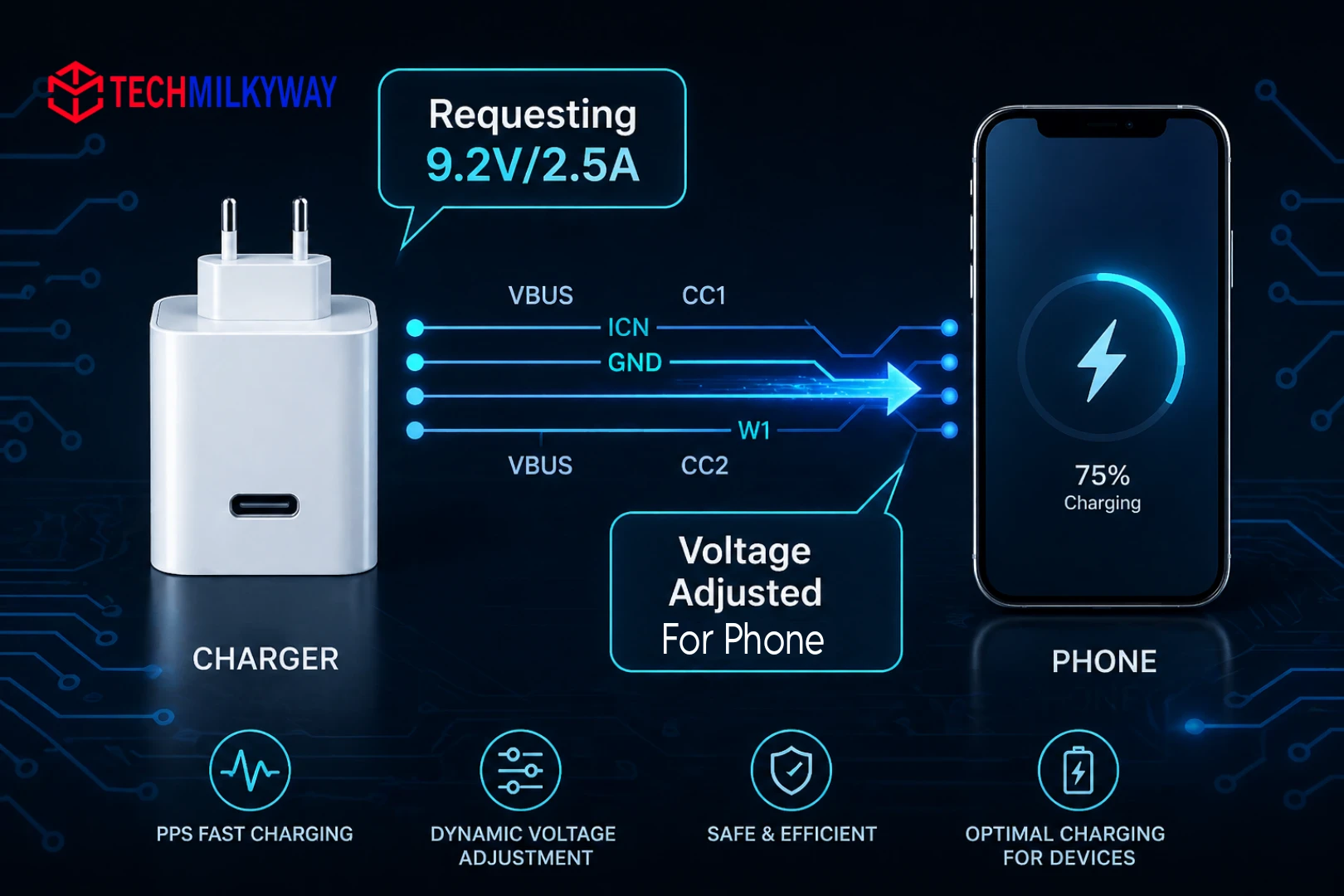
PPS stands for Programmable Power Supply. It is an extension of the USB PD 3.0 standard that replaces fixed voltage steps with continuously variable, fine-tuned power output.
The Limitation PPS Addresses
Standard PD is effective, but its fixed voltage steps create an inherent inefficiency. For example, when a device at 45% battery needs 8.3V, the charger can only offer 9V — the nearest fixed step. The difference between what is supplied and what is needed converts to heat inside the device’s charging circuit.
This is not dangerous. However, it is wasteful. It means more heat at the battery level, slightly reduced charging efficiency, and more thermal stress on the battery over its lifetime.
How PPS Works
A PPS-enabled charger adjusts its output voltage in steps as small as 20mV and its current in steps as small as 50mA. Rather than jumping between fixed levels, PPS creates a smooth, continuous range of output that precisely matches what the battery needs at every point in the charging cycle.
Think of standard PD as a staircase — it can only land on fixed steps. PPS is a ramp — it stops at exactly the right point every time.
PPS Voltage Ranges
PPS operates within defined voltage windows:
- 3.3V – 11V at up to 3A (low-to-mid power range)
- 3.3V – 16V at up to 5A (higher power range for larger devices)
Within these windows, the charger and device continuously re-negotiate as the battery level changes. Early in charging, PPS pushes higher current. As the battery fills, it backs off precisely — reducing heat and protecting battery health.
Key Benefits of PPS
Reduced heat at the battery. Because the charger delivers exactly the right voltage, the device’s charging circuit does less conversion work. Less conversion means less heat generated inside the phone or laptop.
Smarter charging curves. PPS charges aggressively when the battery is low, then tapers precisely as it fills — protecting battery chemistry more effectively than fixed-step charging.
Qualcomm Quick Charge 4+ compatibility. QC 4+ is built on the PPS standard. Therefore, a PPS charger supports QC 4+ devices natively over USB-C without any proprietary adapter.
Better long-term battery health. Consistently lower charging temperatures translate to slower battery degradation over hundreds of charge cycles.
PPS is especially valuable for flagship smartphones. For phones that support PPS fast charging, our Best Budget Phones in 2026 guide is a strong starting point.
GaN vs PD vs PPS: The Full Comparison
These three technologies are frequently mentioned together, but they operate at completely different levels. Here is the clearest way to understand how they relate:
| Technology | Category | What It Does | What It Does Not Do |
|---|---|---|---|
| GaN | Hardware (material) | Makes charger smaller, cooler, more efficient | Does not define charging speed or device compatibility |
| PD | Protocol (software) | Negotiates safe wattage between charger and device | Does not fine-tune voltage within steps |
| PPS | Protocol extension | Continuously adjusts voltage for optimal charging | Requires both charger and device to support it |
They are complementary, not competing. In fact, the best chargers in 2026 combine all three — and that combination is what this guide is ultimately about.
Device Compatibility: Which Devices Support GaN, PD, and PPS?
Understanding compatibility is essential before buying any charger. Here is a clear breakdown by device category.
Smartphones
Most flagship and mid-range smartphones released after 2021 support USB PD over USB-C. PPS support is increasingly common on Android flagships.
- Apple iPhone 15 and later — USB-C PD supported. PPS not natively supported, but PD charging works efficiently.
- Samsung Galaxy S and A series (2021+) — Full PD and PPS support. Samsung’s 45W Super Fast Charging is PPS-based.
- Google Pixel 6 and later — Full PD and PPS support.
- OnePlus, Xiaomi, OPPO — Many models use proprietary fast-charging protocols alongside PD. Always check individual specs.
Laptops
USB PD has largely replaced proprietary laptop chargers for thin-and-light models. However, gaming laptops still often require higher wattage. USB PD 3.1 is beginning to close that gap.
- Apple MacBook Air and MacBook Pro — USB-C PD supported up to 96W–140W depending on model.
- Dell XPS, Lenovo ThinkPad, HP Spectre — All support USB-C PD charging.
- Gaming laptops — Typically require 150W–240W. Verify wattage support before buying.
For a full list of laptops with PD charging support, see our Best Budget Laptops in 2026 guide.
Tablets
Tablets generally sit in the 18W–45W charging range, making them ideal candidates for PD charging.
- Apple iPad (USB-C models) — PD supported up to 20W–30W depending on model.
- Samsung Galaxy Tab S series — PD and PPS supported up to 45W.
- Lenovo and ASUS tablets — Vary by model. Always check specs for PD support.
Our Best Budget Tablets in 2026 guide covers PD-compatible tablet options across all price ranges.
Accessories
Earbuds, smartwatches, and portable gaming handhelds typically charge at very low wattage (2W–15W). Most use USB-C but do not require PD or PPS. Furthermore, using a PD charger will not harm them — PD always negotiates down to what the device safely accepts.
For USB-C accessories that complement a GaN charger setup, our PIVA G71 USB-C Hub Review is worth reading.
Top GaN Charger Brands in 2026: Who Makes the Best?
The GaN charger market has grown significantly. These are the most reliable brands currently available:
| Brand | Known For | Best For |
|---|---|---|
| Anker | Build quality, safety certifications | Overall reliability |
| Ugreen | Value for money, multi-port designs | Budget-conscious buyers |
| Baseus | Compact designs, wide wattage range | Portability |
| Spigen | Minimalist design, solid specs | Everyday home use |
| Belkin | Premium build, Apple ecosystem integration | Apple device users |
| Satechi | Premium aesthetics, desk setups | Professional setups |
When choosing between brands, always verify that the charger carries proper safety certifications — UL, CE, or FCC — regardless of brand reputation.
Do You Actually Need All Three?
Not every user needs every feature. Here is a practical breakdown to help you decide:
GaN only — Great for compact, everyday charging. However, it will not fast-charge devices that require PD.
PD without PPS — Fast and universally compatible, but uses fixed voltage steps. It may generate slightly more heat than PPS during charging.
PD + PPS — The best combination for modern smartphones. Smoother, cooler, and more efficient throughout the charging cycle.
GaN + PD + PPS — The gold standard. Compact, powerful, and as intelligent as charging technology gets in 2026.
If you are buying a new charger this year, look for all three. They are increasingly common even in mid-range chargers from brands like Anker, Baseus, Ugreen, and Spigen.
Common Myths About Fast Charging — Debunked
Despite how far charging technology has advanced, several persistent myths continue to mislead consumers.
Myth 1: A higher wattage charger will damage your phone. False. PD ensures your device only receives the wattage it requests. A 100W charger plugged into a 25W phone will deliver exactly 25W — no more.
Myth 2: Cheap USB-C cables work fine for fast charging. False. Cable quality matters significantly at higher wattages. A cable not rated for 100W will bottleneck charging speed and can create heat and safety issues. Always use cables with clear wattage ratings.
Myth 3: Leaving your device plugged in overnight ruins the battery. Partially true, but largely outdated. Modern devices with PD and PPS systems include battery management circuits that stop drawing power once fully charged. Nevertheless, keeping a battery at 100% for extended periods has minor long-term effects. Charging to 80–90% for daily use is best practice.
Myth 4: GaN chargers are only worth it at high wattage. False. Even a 30W GaN charger is smaller, cooler, and more efficient than a 30W silicon charger. The benefits of GaN apply at every wattage level.
Myth 5: All USB-C chargers support fast charging. False. USB-C is a connector type, not a charging standard. A USB-C charger can output as little as 5W with no PD support at all. Always check the output specs — not just the connector shape.
Fast Charging Safety Guide
Fast charging is safe when done correctly. Follow these guidelines to protect your devices and yourself.
Use certified chargers. Always buy chargers with verified safety certifications. Look for UL (United States), CE (Europe), or FCC markings on the charger body. These confirm the charger has been independently tested for electrical safety.
Match your cable to your wattage. A cable rated for 60W will throttle a 100W charger. More critically, pushing high wattage through an underrated cable generates heat in the cable itself — a genuine fire hazard. For 100W+ charging, use a cable explicitly rated for that wattage.
Avoid charging in extreme temperatures. Lithium-ion batteries charge most safely between 10°C and 35°C. Charging a cold phone in a hot car, or a hot phone after heavy gaming, stresses the battery chemistry. Let your device reach a moderate temperature before charging when possible.
Do not cover your charger or device while charging. Both the charger and device generate heat during fast charging. Covering them traps that heat and raises temperatures beyond safe limits. Remove phone cases from devices prone to heat buildup during charging.
Replace damaged cables immediately. A frayed, kinked, or physically damaged cable is a safety hazard at any wattage. Replace cables at the first sign of visible damage.
The Future of GaN, PD, and PPS Charging Technology
Charging technology is advancing rapidly. Here is what is coming next.
USB PD 3.1 and 240W Widespread Adoption
USB PD 3.1 raised the ceiling to 240W, but adoption has been slow outside of premium laptops. In 2026, more mainstream laptops and accessories are beginning to support PD 3.1. This trend will accelerate significantly over the next two years.
GaN IV and Beyond
Research into next-generation GaN compounds and manufacturing processes continues. GaN IV chargers are expected to push efficiency even further — potentially delivering 200W+ in chargers smaller than today’s 65W models.
Wireless Fast Charging Improvements
Wireless charging has historically been far slower than wired options, but this gap is closing. Qi2 — the new universal wireless charging standard — supports up to 15W, with future versions expected to push higher. However, wired GaN + PD + PPS will remain the fastest and most efficient option for the foreseeable future.
Universal Charging Mandates
Regulatory pressure — particularly from the European Union — has accelerated USB-C adoption globally. Mandatory USB-C charging for smartphones became law in the EU in 2024. Similar legislation is being considered in other regions. This will further entrench PD as the universal charging standard worldwide.
Complete Buying Guide: How to Choose the Right GaN PD PPS Charger
With all the above context, here is exactly what to check before buying a charger in 2026.
Step 1: Identify your highest wattage device. Your charger must meet the power requirements of your most demanding device. MacBook Pro users need at least 96W. Most Android flagships peak at 45W. Gaming laptops may need 140W or more. Start here before looking at anything else.
Step 2: Confirm GaN construction. Look for “GaN,” “GaN II,” or “GaN III” explicitly stated on the packaging or product listing. If it is not mentioned, assume silicon.
Step 3: Verify USB PD support and version. Confirm that the charger lists USB Power Delivery support and, where possible, the PD version. PD 3.0 covers most consumer needs. PD 3.1 is worth seeking if you charge a high-wattage laptop.
Step 4: Check for PPS. PPS appears in the output specs as a variable voltage range — for example, “3.3–11V / 3A.” If only fixed voltages (5V, 9V, 15V, 20V) are listed, PPS is not supported.
Step 5: Count the ports you need. Single-port chargers deliver maximum power to one device. Multi-port chargers split power across devices. Verify that the charger still delivers sufficient wattage per port for your needs when multiple devices are connected.
Step 6: Check safety certifications. UL, CE, or FCC markings are non-negotiable. Do not buy uncertified chargers regardless of price or brand.
Step 7: Consider companion accessories. A great charger pairs well with a quality USB-C hub for desk setups. Our PIVA G71 USB-C Hub Review covers one of the best options currently available. For more recommendations, browse our full Gadgets & Accessories section.
Final Thoughts on GaN, PD, and PPS Charging
GaN, PD, and PPS are not competing technologies. They are three layers of a single, coherent evolution in charging — one that makes chargers smaller, smarter, and safer all at once.
GaN makes the charger physically better. PD makes charging universally intelligent. PPS makes it precisely efficient at the battery level. A charger that combines all three is the most future-proof and versatile option available today.
Whether you are powering a MacBook, a Samsung flagship, or an entire desk setup from one compact adapter, a GaN charger with USB PD and PPS support is the right investment. It will serve every device you own now and most of the devices you will own for years to come.
For more buying guidance, explore our How-To Guides, Gadgets & Accessories, and Best Budget Tablets in 2026 coverage.
Frequently Asked Questions About GaN, PD, and PPS Charging
Is GaN charging safe for my devices? Yes. GaN chargers run cooler and waste less energy than older silicon chargers. Always choose brands with safety certifications such as UL, CE, or FCC for additional peace of mind.
Do I need a special cable for PD charging? Yes. You need a USB-C cable rated for the wattage you plan to use. For anything above 60W, always use a cable rated for 100W or higher. A cheap, unrated cable can bottleneck charging speed and create genuine safety risks.
Will a GaN PD charger work with my iPhone or Samsung phone? Yes. iPhones 15 and later and most modern Samsung Galaxy phones are fully USB-C PD compatible. Older iPhones with Lightning connectors do not support PD natively.
What is the difference between PPS and Qualcomm Quick Charge? Qualcomm Quick Charge is a proprietary fast-charging protocol. PPS is an open standard built into USB PD 3.0. Quick Charge 4+ is actually built on top of PPS. Therefore, a PPS charger natively supports QC 4+ devices over USB-C — but not older QC 3.0 devices.
Can I use a 100W GaN charger on a phone without damaging it? Yes, absolutely. PD ensures your device only requests and receives the wattage it can safely handle. Plugging a 25W phone into a 100W charger results in 25W of charging — not 100W.
Do all USB-C ports support PD? No. USB-C is a connector standard, not a charging protocol. Some USB-C ports deliver only basic 5V/0.9A power with no PD support. Always verify PD compatibility in your device’s official specifications.
How do I know if my charger supports PPS? Check the charger’s output specifications for a variable voltage range such as “3.3–11V / 3A.” This indicates PPS support. If only fixed voltages like 5V, 9V, 15V, and 20V are listed, the charger uses standard PD without PPS.
Is a more expensive GaN charger always better? Not necessarily. Mid-range GaN chargers from reputable brands like Anker, Ugreen, and Baseus deliver excellent real-world performance. What matters most is wattage, PD and PPS support, and verified safety certifications — not the price alone.
What is the difference between GaN II and GaN III? GaN II chargers improved switching efficiency and reduced heat output compared to first-generation GaN. GaN III pushed this further, enabling even more compact designs at higher wattages. In practical terms, a GaN III charger at a given wattage will be smaller and run cooler than a GaN II charger at the same wattage.
Can one GaN charger replace all my chargers? In most cases, yes. A quality multi-port GaN charger with USB PD 3.0 or 3.1 and PPS support can charge a laptop, smartphone, tablet, and accessories simultaneously — all from one compact adapter. For most households, one good GaN charger can consolidate an entire drawer of old adapters.
At TechMilkyWay, we break down complex tech so you can make smarter buying decisions. Browse our Gadgets & Accessories section and How-To Guides for more no-jargon consumer tech coverage.
Quick Links: Home | Gaming | Reviews | Blog | Contact Us | Facebook
— The TechMilkyWay Navigate the universe of technology.